EmoCare
Give companionship a space to explore, beyond the chat window.
EmoCare brings together an AI companion, home and district spaces, activities and game-like feedback. Users can express a feeling or choose a small action beyond conversation.
My role: Product lead | Stage: Product architecture, prototypes and MVP requirements
Young users may want a short exchange, relaxation, something to do, or simply a familiar place.
In the original project, I used analysis of 30+ mental-health products and user-needs research to define AI companionship, an interactive game-like space and varied content. The core flow connects relationship-building, emotional expression/feedback and activities.
I led architecture, feature planning, interaction prototypes and the PRD, coordinating character, world-building, art, music and dynamic-feedback requirements.
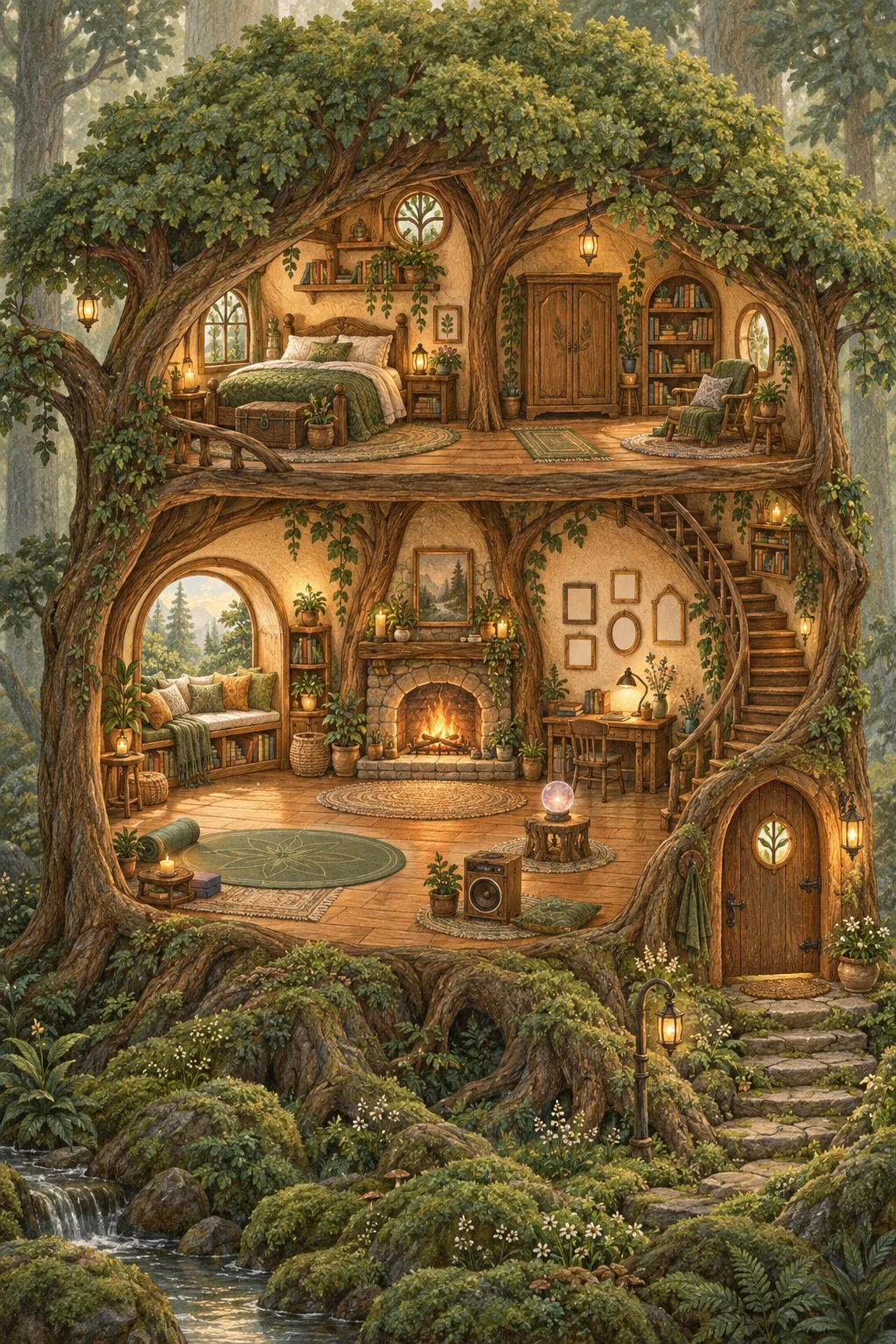
Home supports familiarity, daily life and companionship. The district supports exploration, organising counselling and activity-related functions as recognisable places.
Users need to understand where they can go, but also be able to pause and return, rather than complete a conversation every time they enter.
Characters, objects and spaces form entry points. Activity feedback returns to the home and personal records, connecting the experience over time.
I defined companion personality, interaction and progression, with modes for leisure, learning, exercise and other situations.
Conversation, motion, scene transitions and feedback need to convey continuity together. The everyday companion offers light interaction; professional-support entry points serve different needs. Users should understand whom they are interacting with and what support to expect.
The later high-fidelity prototype separates browsing the space from doing an activity. An object establishes the connection to a place; a close-up supplies the action. Explicit hints and return controls support discovery.
Room view: objects as entry points, with optional hints
The window, yoga mat, journal desk and speaker connect to different activities. Hotspots are clickable buttons. “Find an activity” reveals markers and text, preserving exploration while giving first-time users a clear cue.
Select the window: arrive before starting
Selecting the window sets the current location, applies its camera zoom and changes the heading. Room hotspots leave the active interaction; the close-up presents that corner's explanation, activity action and return.
Users can view day/night outside or select window meditation to prepare. Selecting the object does not start a timer, leaving a choice of what to do next.
Place and activity have separate states
The activity opens mood/preparation steps, followed by duration and practice. The close-up explains where the user is; the activity panel explains what they are doing. Their connection avoids filling the whole-room view with controls.
Return: keep the previous level clear
The close-up provides a return-to-room control and keyboard exit, restoring focus to the prior entry point. Ending or leaving an activity closes its panel and returns to the space. The district also provides a clear way home.
- 01Discover in room
- 02Enter close-up
- 03Choose an activity
- 04Prepare and take part
- 05Return to space
The choice is to locate, choose, then start. A click does not force participation; hints support discovery; a visible return makes navigation reversible. These behaviours can be inspected in the prototype, but do not establish measured discovery or completion rates.
Users can talk with a character or choose music, meditation, drawing, mindfulness and emotion journaling. The original plan covered 20+ content approaches, developed within their actual design/prototype scope.
Activities need clear start, operation, pause and exit. Records, memories and scene feedback communicate what happened before users return to their own space.
- 01Enter
- 02Express or choose
- 03Take part
- 04Complete or leave
- 05Record and receive feedback
- 06Return
The original plan connects tasks, achievements, points and decoration unlocks. The later prototype makes one chain concrete: complete an activity, save a record, receive a reward and bring a decoration home.
Activity sessions have identifiers to prevent repeat processing from awarding the same completion twice. Full completion and early exit are handled separately. Users can record a feeling or skip recording while keeping a return path.
Decoration purchases check existing ownership and points before updating the collection and scene. Activity records and purchases affect the home, such as a memory sprout or a placed object, returning feedback to the setting the user was in.
This explains how rewards relate to actions, rather than listing points, achievements and a shop. It represents continuity, not demonstrated retention or psychological benefit.
Original low-fidelity prototype
Navigation, conversation branches, state input, companion modes, activities and rewards help the team discuss functionality and flow.
Later high-fidelity experience prototype
The later AI-assisted prototype expresses the story opening, home/district exploration, close-ups, pause/exit, journal, memories and decoration feedback. Dialogue follows demonstration logic.
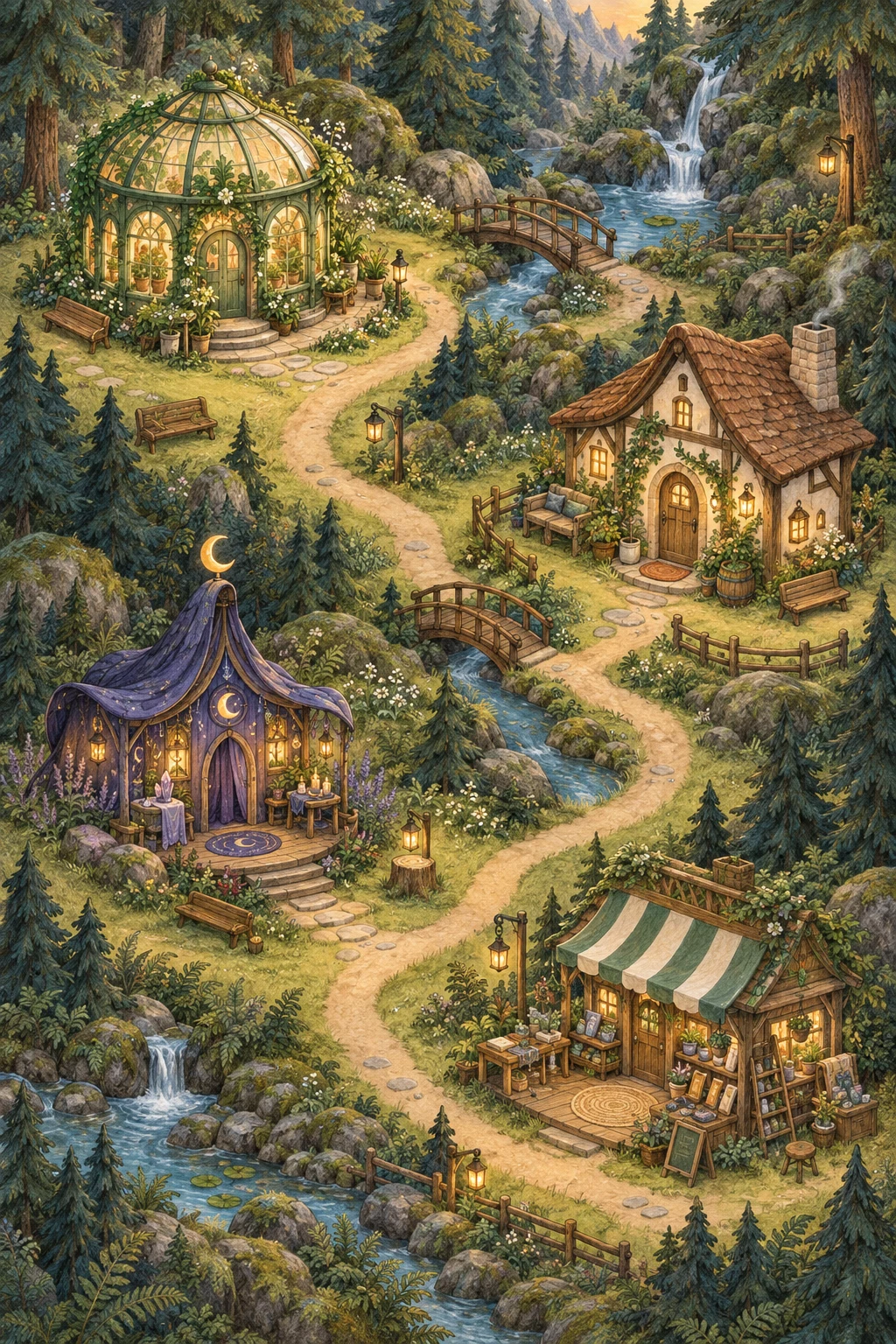
Explore the later high-fidelity demonstration
Preview unavailable? Open separately ↗
Explore the original low-fidelity flow
Preview unavailable? Open separately ↗
Architecture, user flows, PRDs and resource requirements align design and engineering across character appearance, world-building, art style, music, animation and game mechanics.
Phasing defines scope: P0 establishes onboarding, state input and the home; P1 connects activities, playback, character interaction and dialogue; P2 adds anonymous sharing, community and statistics. Priorities and visual-production requirements need to be planned together.
The project produced architecture, core prototypes and MVP requirements, with design and engineering coordination. Original product work and the later high-fidelity prototype explain different stages and serve different purposes.
Next checks should observe object discovery, close-up clarity, free exit from activities and comprehension of records/rewards.
The project treats AI companionship as a complete experience: character, space, action and feedback need to work together, with functions available in situations users choose to enter.